Chapters · Chapter 10 of 21
Chapter 9 - Multimodal Large Language Models
Chapter 9 - Multimodal Large Language Models
Adding vision capabilities to Large Language Models.
This notebook is for Chapter 9 of the Hands-On Large Language Models book by Jay Alammar and Maarten Grootendorst.
[OPTIONAL] - Installing Packages on 
If you are viewing this notebook on Google Colab (or any other cloud vendor), you need to uncomment and run the following codeblock to install the dependencies for this chapter:
💡 NOTE: We will want to use a GPU to run the examples in this notebook. In Google Colab, go to Runtime > Change runtime type > Hardware accelerator > GPU > GPU type > T4.
# %%capture
# !pip install matplotlib transformers datasets accelerate sentence-transformers
CLIP
from urllib.request import urlopen
from PIL import Image

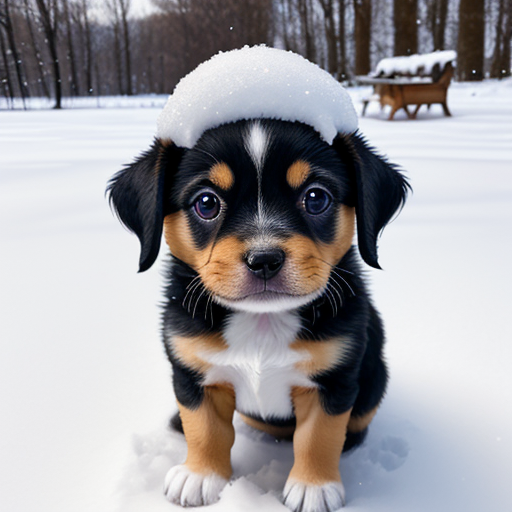
# Load an AI-generated image of a puppy playing in the snow
puppy_path = "https://raw.githubusercontent.com/HandsOnLLM/Hands-On-Large-Language-Models/main/chapter09/images/puppy.png"
image = Image.open(urlopen(puppy_path)).convert("RGB")
caption = "a puppy playing in the snow"
image
Embeddings
from transformers import CLIPTokenizerFast, CLIPProcessor, CLIPModel

model_id = "openai/clip-vit-base-patch32"

# Load a tokenizer to preprocess the text
clip_tokenizer = CLIPTokenizerFast.from_pretrained(model_id)

# Load a processor to preprocess the images
clip_processor = CLIPProcessor.from_pretrained(model_id)

# Main model for generating text and image embeddings
model = CLIPModel.from_pretrained(model_id)
# Tokenize our input
inputs = clip_tokenizer(caption, return_tensors="pt")
inputs
# Convert our input back to tokens
clip_tokenizer.convert_ids_to_tokens(inputs["input_ids"][0])
# Create a text embedding
text_embedding = model.get_text_features(**inputs)
text_embedding.shape
# Preprocess image
processed_image = clip_processor(
    text=None, images=image, return_tensors='pt'
)['pixel_values']

processed_image.shape
import torch
import numpy as np
import matplotlib.pyplot as plt

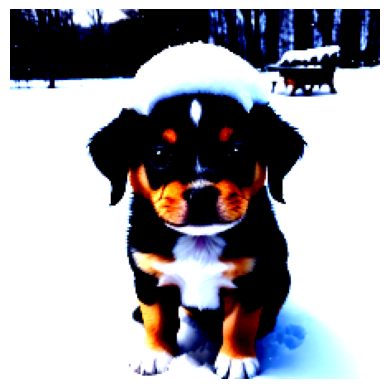
# Prepare image for visualization
img = processed_image.squeeze(0)
img = img.permute(*torch.arange(img.ndim - 1, -1, -1))
img = np.einsum('ijk->jik', img)

# Visualize preprocessed image
plt.imshow(img)
plt.axis('off')
# Create the image embedding
image_embedding = model.get_image_features(processed_image)
image_embedding.shape
# Normalize the embeddings
text_embedding /= text_embedding.norm(dim=-1, keepdim=True)
image_embedding /= image_embedding.norm(dim=-1, keepdim=True)

# Calculate their similarity
text_embedding = text_embedding.detach().cpu().numpy()
image_embedding = image_embedding.detach().cpu().numpy()
score = text_embedding @ image_embedding.T
score
More Images
from urllib.request import urlopen
from PIL import Image

# Load an AI-generated image of a puppy playing in the snow
cat_path = "https://raw.githubusercontent.com/HandsOnLLM/Hands-On-Large-Language-Models/main/chapter09/images/cat.png"
car_path = "https://raw.githubusercontent.com/HandsOnLLM/Hands-On-Large-Language-Models/main/chapter09/images/car.png"
paths = [puppy_path, cat_path, car_path]
images = [Image.open(urlopen(path)).convert("RGBA") for path in paths]
captions = [
    "a puppy playing in the snow",
    "a pixelated image of a cute cat",
    "A supercar on the road \nwith the sunset in the background"
]

import numpy as np

# Embed all images
image_embeddings = []
for image in images:
  image_processed = clip_processor(images=image, return_tensors='pt')['pixel_values']
  image_embedding = model.get_image_features(image_processed).detach().cpu().numpy()[0]
  image_embeddings.append(image_embedding)
image_embeddings = np.array(image_embeddings)

# Embed all captions
text_embeddings = []
for caption in captions:
  inputs = clip_tokenizer(caption, return_tensors="pt")
  text_emb = model.get_text_features(**inputs).detach().cpu().numpy()[0]
  text_embeddings.append(text_emb)
text_embeddings = np.array(text_embeddings)
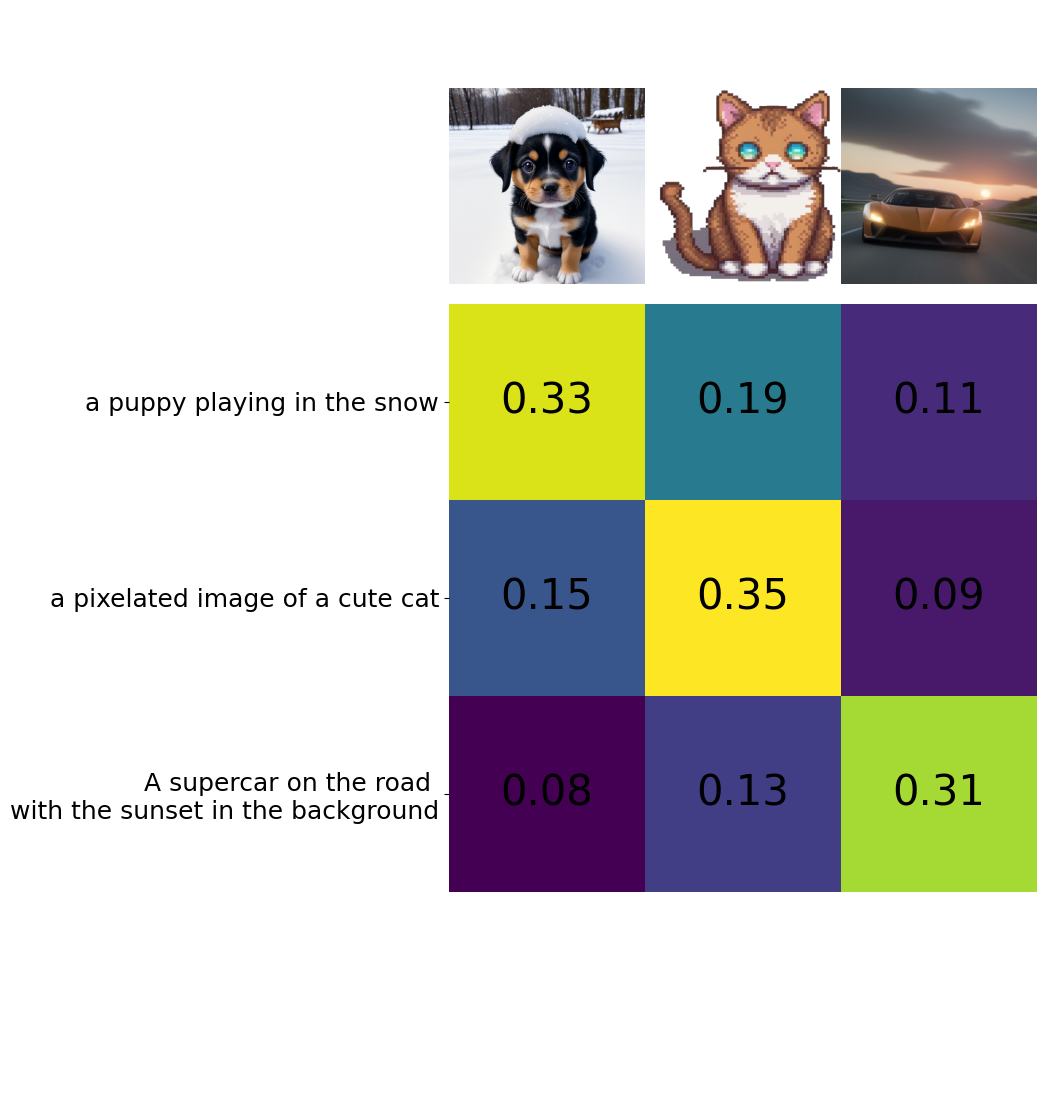
# Calculate cosine similarity between images and captions
from sklearn.metrics.pairwise import cosine_similarity
sim_matrix = cosine_similarity(image_embeddings, text_embeddings)
# Create base figure
plt.figure(figsize=(20, 14))
plt.imshow(sim_matrix, cmap='viridis')

# Adjust ticks with correct labels
plt.yticks(range(len(captions)), captions, fontsize=18)
plt.xticks([])

# Visualize
for i, image in enumerate(images):
    plt.imshow(image, extent=(i - 0.5, i + 0.5, -1.6, -0.6), origin="lower")

# Add the captions at the correct indices
for x in range(sim_matrix.shape[1]):
    for y in range(sim_matrix.shape[0]):
        plt.text(x, y, f"{sim_matrix[y, x]:.2f}", ha="center", va="center", size=30)

# Remove unnecessary spines
for side in ["left", "top", "right", "bottom"]:
  plt.gca().spines[side].set_visible(False)

# Resize blocks
plt.xlim([-0.5, len(captions) - 0.5])
plt.ylim([len(captions) + 0.5, -2])
# plt.title("Similarity Matrix", size=20)
plt.savefig("sim_matrix.png", dpi=300, bbox_inches='tight')
SBERT
from sentence_transformers import SentenceTransformer, util

# Load SBERT-compatible CLIP model
model = SentenceTransformer('clip-ViT-B-32')

# Encode the images
image_embeddings = model.encode(images)

# Encode the captions
text_embeddings = model.encode(captions)

#Compute cosine similarities
sim_matrix = util.cos_sim(image_embeddings, text_embeddings)
print(sim_matrix)
BLIP-2
from transformers import AutoProcessor, Blip2ForConditionalGeneration
import torch

# Load processor and main model
blip_processor = AutoProcessor.from_pretrained(
    "Salesforce/blip2-opt-2.7b",
    revision="51572668da0eb669e01a189dc22abe6088589a24"  # Choose specific model because of: https://huggingface.co/Salesforce/blip2-opt-2.7b/discussions/39
)
model = Blip2ForConditionalGeneration.from_pretrained(
    "Salesforce/blip2-opt-2.7b",
    revision="51572668da0eb669e01a189dc22abe6088589a24",
    torch_dtype=torch.float16
)

# Send the model to GPU to speed up inference
device = "cuda" if torch.cuda.is_available() else "cpu"
model.to(device)
Preprocessing Images
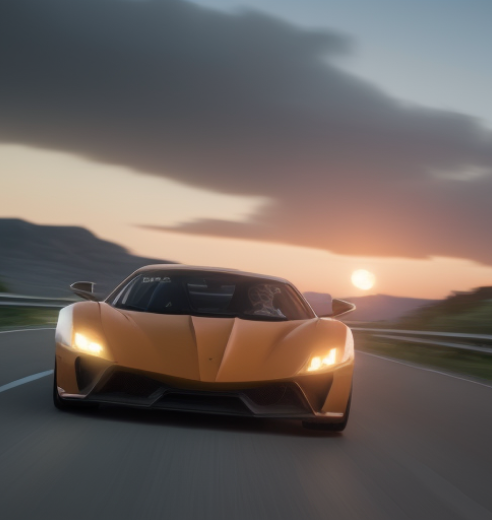
# Load image of a supercar
car_path = "https://raw.githubusercontent.com/HandsOnLLM/Hands-On-Large-Language-Models/main/chapter09/images/car.png"
image = Image.open(urlopen(car_path)).convert("RGB")
image
# Preprocess the image
inputs = blip_processor(image, return_tensors="pt").to(device, torch.float16)
inputs["pixel_values"].shape
from sklearn.preprocessing import MinMaxScaler

# Convert to numpy and go from (1, 3, 224, 224) to (224, 224, 3) in shape
image_inputs = inputs["pixel_values"][0].detach().cpu().numpy()
image_inputs = np.einsum('ijk->kji', image_inputs)
image_inputs = np.einsum('ijk->jik', image_inputs)

# Scale image inputs to 0-255 to represent RGB values
scaler = MinMaxScaler(feature_range=(0, 255))
image_inputs = scaler.fit_transform(image_inputs.reshape(-1, image_inputs.shape[-1])).reshape(image_inputs.shape)
image_inputs = np.array(image_inputs, dtype=np.uint8)

# Convert numpy array to Image
Image.fromarray(image_inputs)
Preprocessing Text
blip_processor.tokenizer
# Preprocess the text
text = "Her vocalization was remarkably melodic"
token_ids = blip_processor(image, text=text, return_tensors="pt")
token_ids = token_ids.to(device, torch.float16)["input_ids"][0]

# Convert input ids back to tokens
tokens = blip_processor.tokenizer.convert_ids_to_tokens(token_ids)
tokens
# Replace the space token with an underscore
tokens = [token.replace("Ġ", "_") for token in tokens]
tokens
Use Case 1: Image Captioning
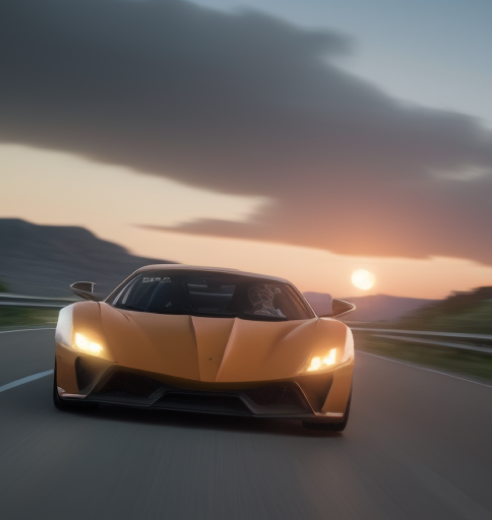
# Load an AI-generated image of a supercar
image = Image.open(urlopen(car_path)).convert("RGB")

# Convert an image into inputs and preprocess it
inputs = blip_processor(image, return_tensors="pt").to(device, torch.float16)
image
# Generate image ids to be passed to the decoder (LLM)
generated_ids = model.generate(**inputs, max_new_tokens=20)

# Generate text from the image ids
generated_text = blip_processor.batch_decode(generated_ids, skip_special_tokens=True)
generated_text = generated_text[0].strip()
generated_text
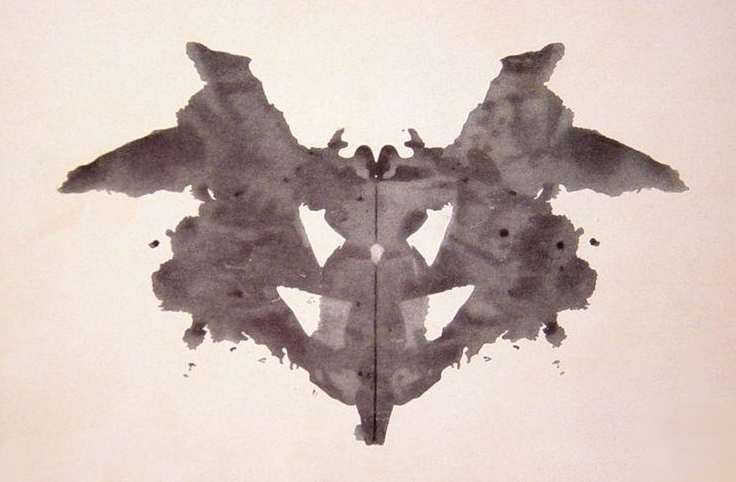
url = "https://upload.wikimedia.org/wikipedia/commons/7/70/Rorschach_blot_01.jpg"
image = Image.open(urlopen(url)).convert("RGB")
image
# Load rorschach image
url = "https://upload.wikimedia.org/wikipedia/commons/7/70/Rorschach_blot_01.jpg"
image = Image.open(urlopen(url)).convert("RGB")

# Generate caption
inputs = blip_processor(image, return_tensors="pt").to(device, torch.float16)
generated_ids = model.generate(**inputs, max_new_tokens=20)
generated_text = blip_processor.batch_decode(generated_ids, skip_special_tokens=True)
generated_text = generated_text[0].strip()
generated_text
Use Case 2: Visual Question Answering
# Load an AI-generated image of a supercar
image = Image.open(urlopen(car_path)).convert("RGB")
# Visual Question Answering
prompt = "Question: Write down what you see in this picture. Answer:"

# Process both the image and the prompt
inputs = blip_processor(image, text=prompt, return_tensors="pt").to(device, torch.float16)

# Generate text
generated_ids = model.generate(**inputs, max_new_tokens=30)
generated_text = blip_processor.batch_decode(generated_ids, skip_special_tokens=True)
generated_text = generated_text[0].strip()
generated_text
# Chat-like prompting
prompt = "Question: Write down what you see in this picture. Answer: A sports car driving on the road at sunset. Question: What would it cost me to drive that car? Answer:"

# Generate output
inputs = blip_processor(image, text=prompt, return_tensors="pt").to(device, torch.float16)
generated_ids = model.generate(**inputs, max_new_tokens=30)
generated_text = blip_processor.batch_decode(generated_ids, skip_special_tokens=True)
generated_text = generated_text[0].strip()
generated_text
from IPython.display import HTML, display
import ipywidgets as widgets

def text_eventhandler(*args):
  question = args[0]["new"]
  if question:
    args[0]["owner"].value = ""

    # Create prompt
    if not memory:
      prompt = " Question: " + question + " Answer:"
    else:
      template = "Question: {} Answer: {}."
      prompt = " ".join(
          [
              template.format(memory[i][0], memory[i][1])
              for i in range(len(memory))
          ]
      ) + " Question: " + question + " Answer:"

    # Generate text
    inputs = blip_processor(image, text=prompt, return_tensors="pt")
    inputs = inputs.to(device, torch.float16)
    generated_ids = model.generate(**inputs, max_new_tokens=100)
    generated_text = blip_processor.batch_decode(
        generated_ids,
        skip_special_tokens=True
    )
    generated_text = generated_text[0].strip().split("Question")[0]

    # Update memory
    memory.append((question, generated_text))

    # Assign to output
    output.append_display_data(HTML("<b>USER:</b> " + question))
    output.append_display_data(HTML("<b>BLIP-2:</b> " + generated_text))
    output.append_display_data(HTML("<br>"))

# Prepare widgets
in_text = widgets.Text()
in_text.continuous_update = False
in_text.observe(text_eventhandler, "value")
output = widgets.Output()
memory = []

# Display chat box
display(
    widgets.VBox(
        children=[output, in_text],
        layout=widgets.Layout(display="inline-flex", flex_flow="column-reverse"),
    )
)